DISCLOSURE
Service Provider: FXCM is an independent legal entity and is not affiliated with TradingView. FXCM does not endorse any product or service of TradingView. Nothing associated with this promotion shall be considered a solicitation to buy or an offer to sell any product or service to any person in any jurisdiction where such offer, solicitation, purchase or sale would be unlawful under the laws of regulations of such jurisdiction.
Third Party Links: Links to third-party sites are provided for your convenience and for informational purposes only. FXCM bears no liability for the accuracy, content, or any other matter related to the external site or for that of subsequent links, and accepts no liability whatsoever for any loss or damage arising from the use of this or any other content. Such sites are not within our control and may not follow the same privacy, security, or accessibility standards as ours. Please read the linked websites' terms and conditions.
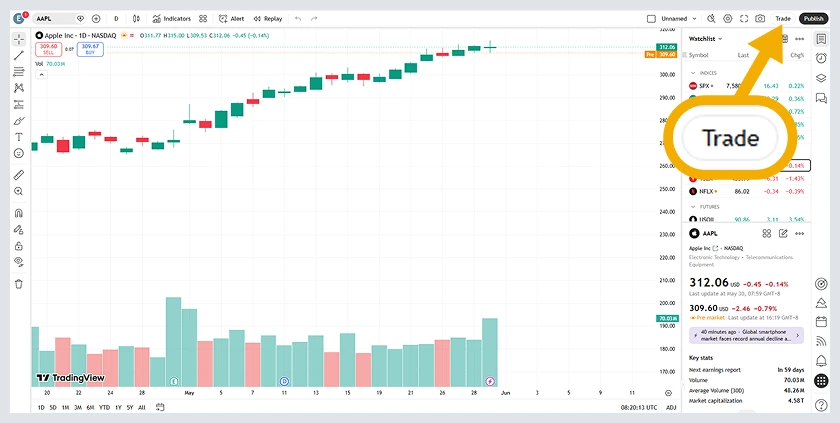
Tradingview is a third party charting provider. The displayed prices provided by Tradingview reflect only the indicative market prices and not actual dealing prices where trades will be executed by FXCM. It is possible that client orders may be executed at a price that is different from the displayed price on the chart. FXCM is not responsible or liable if any data, charting package or information provided by Tradingview is inaccurate or incomplete in any respect.